
eBook Creator1.70 - App Store
You'll be able to see results in few seconds.
Publisher Description
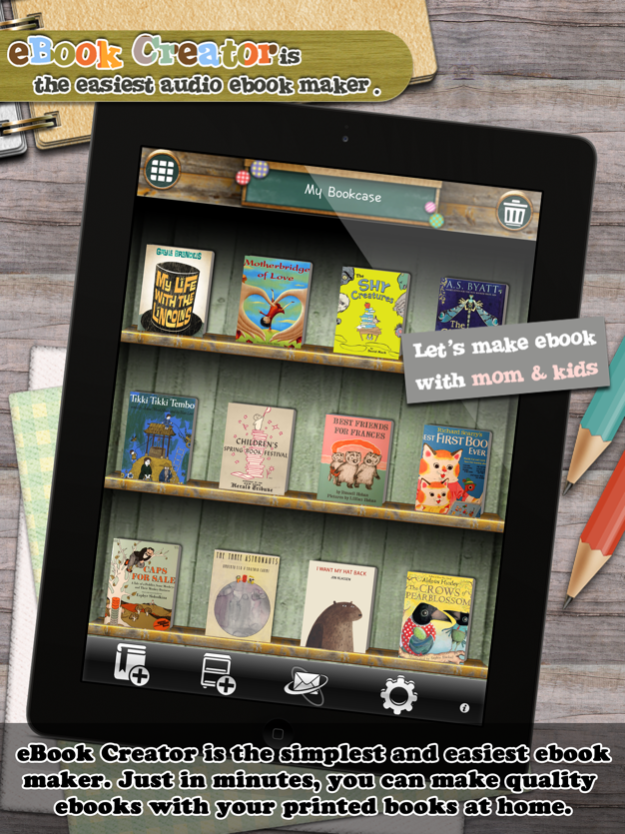
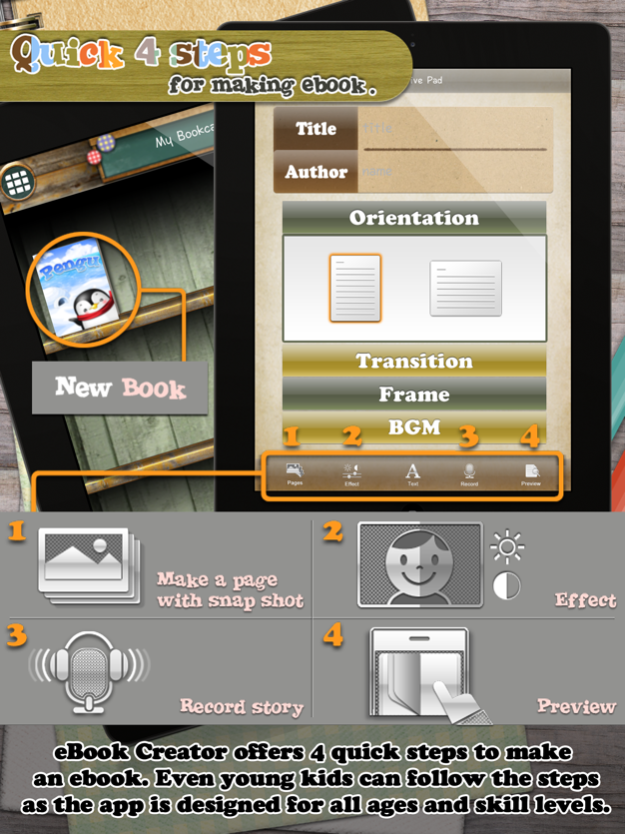
■ ‘eBook Creator’ is the simplest and easiest ebook creation application. Its interface is designed for all ages and skill levels so that young kids are able to make ebooks using the app.
■ You can make good quality ebooks using the functions such as image brightness and contrast adjustment, voice recording, background musics, etc.
■ If you have printed books at home, the books can be transformed into ebooks on iPhone just in minutes. Record your voice reading pages, the app turns pages and play the recordings just like you do the same thing.
■ 'eBook Creator' helps yours kids develop good “reading habit”. Furthermore, the kids will get to feel that reading books is pretty enjoyable if they record their own voices.
■ With ‘eBook Creator’, you can make various things such as ebooks, photo albums, kids art albums, scrapbooks, and so on as per your needs.
■ ‘eBook Creator’ gives you various graphical effects and sound clips. For instance, page transition, page frames, and background musics.
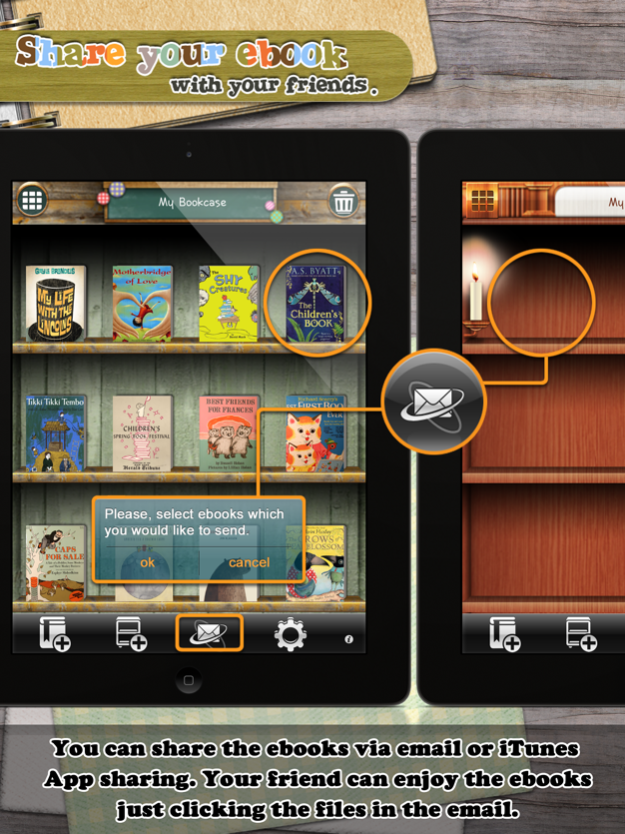
■ You can share ebooks, which are made by you, via email. ‘eBook creator’ automatically compresses the ebooks, attaches the files to iPhone email composer, titles subject, and fill in email body. You can just send the email after setting recipients only.
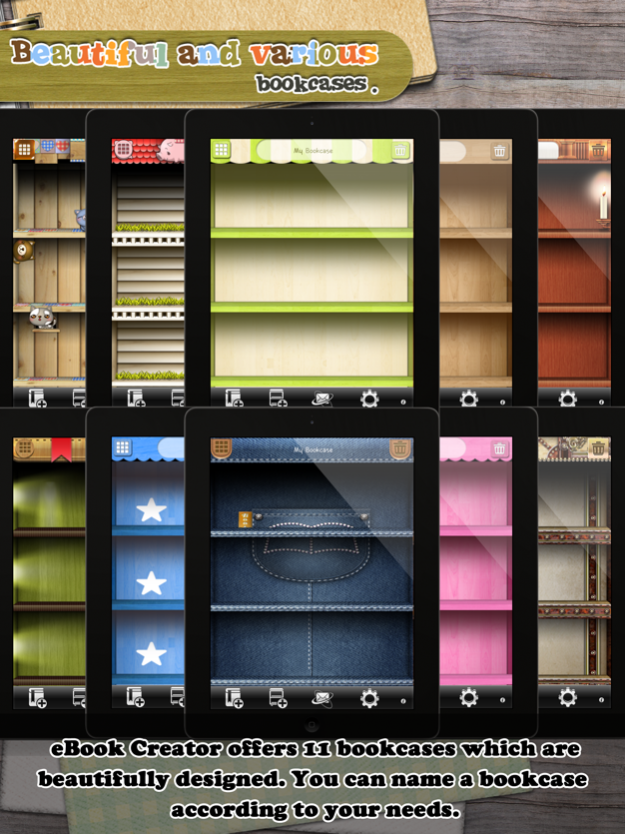
■ ‘eBook Creator’ offers 11 bookcases which are beautifully designed. You can name a bookcase according to your needs.
How to create an ebook is described as follows.
Step1> Setting up basic information of the ebook. For example, title, author's name, book orientation, page transition, page frame, and background music.
Step2> Taking pictures of the pages in the book or select images from iPhone Photo album.
Step3> Adjust brightness and contrast of each page.
Step4> Record your voice reading the book.
Final step> Preview.
[Features]
- Snap photos
- Select images from iPhone photo album
- Adjust brightness and contrast of an image
- Record voice or music
- Various page transition, page frame, and background music
- Automatic play
- Export ebooks into another apps for sharing; email, dropbox, etc.
- Export ebooks into videos to share with people who do not have the app.
- iTunes App Sharing
- Create a bookcase
- 11 beautiful bookcase themes
- Manage bookcase
- Set recording and background music volume
- Set font
and, one ebook included.
Feb 10, 2015
Version 1.70
This app has been updated by Apple to display the Apple Watch app icon.
- Now, you can export an ebook as a movie.
Share your creatives with people who do not have the app.
About eBook Creator
The company that develops eBook Creator is BlueFinger Apps. The latest version released by its developer is 1.70.
To install eBook Creator on your iOS device, just click the green Continue To App button above to start the installation process. The app is listed on our website since 2015-02-10 and was downloaded 0 times. We have already checked if the download link is safe, however for your own protection we recommend that you scan the downloaded app with your antivirus. Your antivirus may detect the eBook Creator as malware if the download link is broken.
How to install eBook Creator on your iOS device:
- Click on the Continue To App button on our website. This will redirect you to the App Store.
- Once the eBook Creator is shown in the iTunes listing of your iOS device, you can start its download and installation. Tap on the GET button to the right of the app to start downloading it.
- If you are not logged-in the iOS appstore app, you'll be prompted for your your Apple ID and/or password.
- After eBook Creator is downloaded, you'll see an INSTALL button to the right. Tap on it to start the actual installation of the iOS app.
- Once installation is finished you can tap on the OPEN button to start it. Its icon will also be added to your device home screen.
Program Details
System requirements
Download information
Pricing
Version History
version 1.70
posted on 2015-02-10
Feb 10, 2015
Version 1.70
This app has been updated by Apple to display the Apple Watch app icon.
- Now, you can export an ebook as a movie.
Share your creatives with people who do not have the app.
version 1.70
posted on 2011-07-16
Disclaimer
Official App Store Link
We do not host eBook Creator on our servers. We did not scan it for viruses, adware, spyware or other type of malware. This app is hosted by Apple and passed their terms and conditions to be listed there. We recommend caution when installing it.
The App Store link for eBook Creator is provided to you by apps112.com without any warranties, representations or guarantees of any kind, so access it at your own risk.
If you have questions regarding this particular app contact the publisher directly. For questions about the functionalities of apps112.com contact us.
